
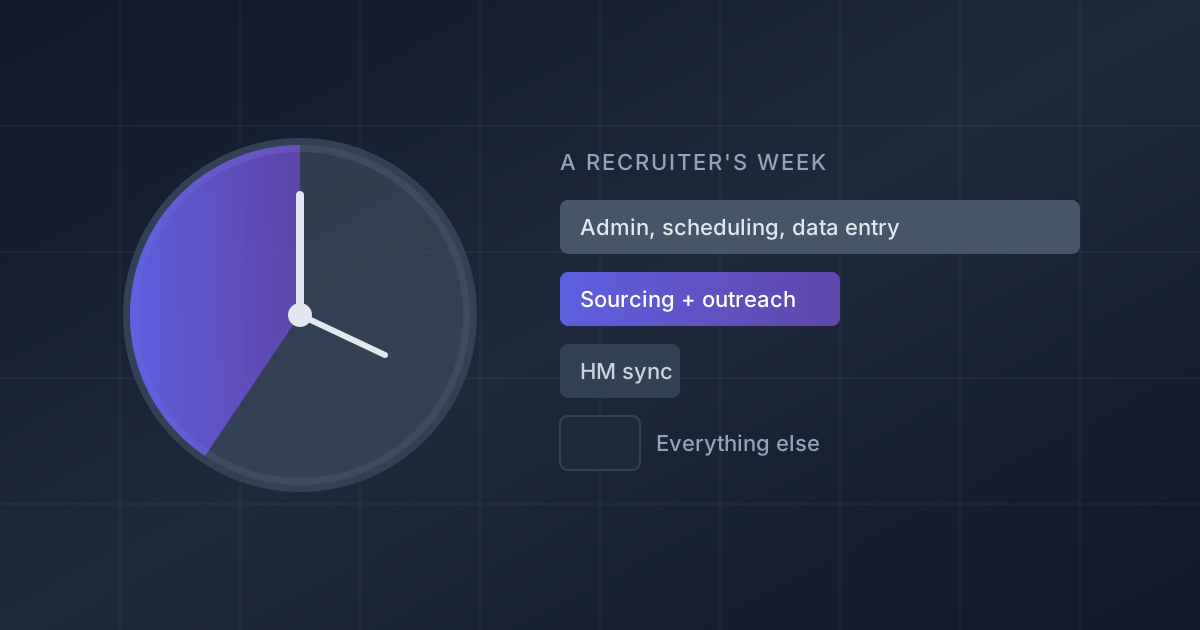
Key takeaway: Manual sourcing takes all day because it is squeezed into a fraction of the day and spread across too many roles. A two-week time-tracking study of 200+ recruiters found only 28% of their hours went to sourcing and candidate engagement, about 11 to 13 hours a week (iQTalent, 2026), while the average recruiter now carries 14 open requisitions (Gem 2025 Recruiting Benchmarks). That is under an hour of sourcing per role per week. The fix is not working faster inside each search. It is measuring the per-role budget, cutting the steps that repeat on every search, and handing the repeatable parts to software.
It is 4:30 on a Thursday. You opened a search for a senior platform engineer at 9:15, got pulled into two intake calls, rescheduled three interviews, and updated the ATS after each one. Between those, you reviewed maybe 40 profiles, found contact details for nine, and sent six messages. Tomorrow the same search is waiting, along with thirteen others.
That feeling, that sourcing ate the day and produced six messages, is common enough that it has become the default complaint about the job. It is also measurable, which means it is fixable. This guide is about the workload problem: where sourcing hours actually go and how to get them back. If you are weighing whether to replace manual sourcing with AI at all, our comparison of AI sourcing vs. manual sourcing covers speed, cost, and quality side by side.
Why does manual sourcing take all day?
Three forces stack on top of each other.
The work per recruiter went up while the teams got smaller. Gem's 2025 benchmarks, built on 140 million applications and 1.3 million hires, found average recruiting team headcount fell from 31 in 2022 to 24 in 2024, while each recruiter carried 56% more open reqs (14) and 2.7 times more applications (2,500+) than three years earlier (Gem, 2025). SHRM's 2026 recruiting benchmarking data shows the same squeeze at the top end: extra-large organizations saw a 67% jump in median requisitions per recruiter (SHRM, 2026).
Sourcing gets whatever time is left over. In iQTalent's time-tracking study across 20 companies, the average recruiter spent 52% of their time on administrative work such as scheduling, follow-up, and data entry, 12% on hiring manager coordination, and 8% on reporting and meetings. Sourcing and candidate engagement got 28% (iQTalent, 2026). Sourcing is the work that gets interrupted, because nothing breaks today if it waits.
Manual sourcing restarts from zero on every search. A Boolean string written for one role rarely transfers to the next. Contact lookup is repeated per person. Every profile is read by a human, including the many that fail a basic requirement at a glance. None of that effort compounds, so a recruiter with 14 reqs pays the setup cost 14 times.
How much time do recruiters actually spend sourcing?
Here is the arithmetic most teams never do. Take the iQTalent allocation and the Gem workload together:
| Input | Figure | Source |
|---|---|---|
| Hours per week on sourcing and engagement | 11 to 13 | iQTalent time-tracking study, 2026 |
| Open requisitions per recruiter | 14 | Gem 2025 Recruiting Benchmarks |
| Sourcing time per requisition per week | 47 to 56 minutes | Calculated |
| Median time to fill, nonexecutive roles | 39 days | SHRM 2026 benchmarking |
| Average time to hire | 41 days | Gem 2025 Recruiting Benchmarks |
Under an hour per role per week has to cover searching, reading profiles, finding contact details, writing messages, and following up. That is why a single hard search can swallow a whole day: doing one role properly means borrowing the hours of five others.
The number also explains a pattern hiring managers notice. When a recruiter says "I'm still sourcing," it often means the role got 50 minutes this week, not that the market is empty.
Which sourcing tasks eat the most hours?
Not every step costs the same, and not every step needs a recruiter. A useful way to sort them:
| Task | Why it is slow when done by hand | Needs recruiter judgment? |
|---|---|---|
| Building and rebuilding search strings | Titles vary wildly; strings miss people who describe the work differently (why keyword searches miss) | Only to define criteria |
| Reading profiles to screen out obvious misfits | Most results fail a basic requirement, but each one is opened | No |
| Finding emails and phone numbers | Repeated per candidate, often across several tools | No |
| Writing first-touch messages | Personalization takes minutes per candidate | Partly: the pitch, not each sentence |
| Follow-ups and reminders | Easy to forget when the day gets interrupted | No |
| Deciding who is genuinely a fit | Requires context on the team and role | Yes |
| Conversations with interested candidates | Relationship and selling work | Yes |
The top five rows are where the day disappears, and none of them need a recruiter's judgment on every repetition. The bottom two rows are the job. LinkedIn's 2025 Future of Recruiting report found talent acquisition professionals using generative AI reported saving about 20% of their workweek, roughly a full day (LinkedIn, 2025). That saving comes from the top of this table.
How do you cut the time manual sourcing takes?
This workflow works with whatever tools you have today, including none beyond your ATS and a spreadsheet.
- Log one week honestly. Track your time in four buckets: sourcing (search, review, contact lookup), outreach (writing, sending, following up), coordination (scheduling, hiring manager syncs), and admin (ATS updates, reporting). Fifteen-minute blocks are enough. Most recruiters are surprised by how small the sourcing bucket is.
- Calculate your per-req sourcing budget. Divide the sourcing and outreach hours by your open reqs. If the answer is under an hour, the problem is capacity, not technique, and no search trick will fix it. Show the number to your manager; it reframes the "why is this role slow" conversation.
- Decide which reqs actually need outbound. Gem found a sourced applicant is five times more likely to be hired than an inbound one, while job boards produce 49% of applications but only 24.6% of hires (Gem, 2025). Put your sourcing hours on the roles where inbound is thin or low quality, and stop sourcing for roles that fill from applicants.
- Search your own ATS before the open market. Past finalists and silver medalists already know your company and already passed a screen. Rediscovery is the cheapest sourcing there is, and most teams skip it because the ATS search is clumsy.
- Write the role as criteria once, not as strings per search. List the three to five must-haves, the nice-to-haves, and the dealbreakers. Then build searches from evidence of the work rather than job titles; our Boolean search guide shows how. Criteria written once can be reused by a teammate, a sourcer, or a tool. Strings rarely can.
- Batch the repetitive steps. Review profiles in one block, look up contacts in one block, and send outreach in one block, instead of interleaving them. Keep three proven first-touch messages per role family so you edit rather than write; see cold recruiting outreach templates for versions with reply-rate data behind them.
- Hand off anything you do the same way every time. Screening against fixed requirements, contact enrichment, follow-up sequences, and interview scheduling are the steps to automate first. Keep the calls, the selling, and the final fit decisions for yourself.
Done well, steps 1 to 6 alone usually buy back a few hours a week. Step 7 is where the larger change comes from, because it removes whole categories of work rather than making them faster.
What should you automate, and how much control do you keep?
The question recruiting teams ask most about automation is not "can it do the work" but "what do I still have to watch." A reasonable split:
- Automate fully: contact enrichment, follow-up timing, calendar coordination, and filtering out candidates who fail a hard requirement.
- Automate with review: the shortlist itself. Let software find and rank candidates, then review the ranked list and give feedback, rather than reading every raw result.
- Keep human: the criteria, the pitch, candidate conversations, and the decision to move someone forward.
The time investment is front-loaded. Any AI sourcing tool needs you to define the role clearly and review early results so it learns what "good" means for that team. Expect to spend real time on the first batches of a new role and much less once the criteria are dialed in. If a tool still needs you to rewrite searches every week after the first few, it has not taken the manual work off your plate.
How does Noon take the sourcing day off your plate?
Noon was built for the recruiter in the opening paragraph: too many roles, not enough uninterrupted hours. Its AI Sourcer runs as an autonomous agent that searches across the web, not just LinkedIn, evaluates each profile against your role's criteria, and holds non-negotiable requirements without quietly relaxing them. You calibrate it with thumbs-up and thumbs-down feedback instead of rewriting Boolean strings, and it keeps sourcing in the background after you close the laptop.
It also covers the other slow steps on the list above: personalized email and SMS sequences for outreach, AI-coordinated interview booking through a Calendly integration, and sync with 20+ ATS platforms. With an ATS connected, Noon can search your existing candidate database with the same criteria (step 4 above) and returns results immediately with no calibration period. It can also exclude people who are already in your pipeline or were previously hired, so rediscovery does not turn into duplicate outreach.
Noon runs on one plan with unlimited sourcing, contacts, email enrichment, agents, and seats, so there is no credit meter deciding which reqs get sourced this week. Pricing is quote-based; see noon.ai/pricing for how the plan works, or browse our candidate sourcing guide for the full range of approaches.
Frequently asked questions
How many hours a week should a recruiter spend on sourcing? There is no single right number, but iQTalent's time-tracking data suggests most recruiters get 11 to 13 hours a week for sourcing and engagement combined, and recommends pushing that share from 28% toward 50 to 60% of the week by removing administrative work (iQTalent, 2026). The more useful target is per role: if a hard-to-fill req gets less than an hour a week, it will stay open.
Why does sourcing take longer than it used to? Because each recruiter carries more of it. Gem's 2025 benchmarks show recruiters handling 14 open reqs and 2,500+ applications on average, up sharply from three years earlier, on smaller teams. Talent is also scarcer: 72% of employers worldwide and 69% in the U.S. report difficulty filling roles (ManpowerGroup, 2026).
What is the level of automation versus manual control with AI sourcing tools? It varies by tool. Search assistants speed up the query but leave review, contact lookup, and outreach to you. Autonomous agents source, screen, and reach out on their own while you set criteria and approve or reject candidates. Ask any vendor exactly which steps still need a person every week.
How much time does it take to get value from an AI sourcing tool? Most of the effort comes at the start of each role: writing clear criteria and reviewing the first batches so the tool learns your standards. After that, the time you spend should drop to reviewing ranked candidates and talking to the interested ones. If it does not, the tool is not learning.
Is manual sourcing still worth doing? Yes, for a small number of roles: executive searches, very niche specialties, and searches where your personal network is the edge. For the rest of a 14-req load, manual sourcing mostly buys you fewer contacted candidates per hour than the alternatives.




